


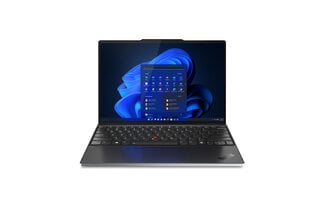


AMD Ryzen 7 laptop
An AMD Ryzen 7 laptop is made for people who use their laptop intensively and want just a bit more computing headroom. This processor series is known for strong performance in multitasking and heavier applications, making it easier to work with several programs, many tabs and larger files at the same time. You notice the result mostly in practice: a laptop that keeps responding smoothly when your workflow gets busier, and that feels less "tight" under intensive daily use.
Anyone who is busy with buying a laptop and wants to be sure the laptop keeps working pleasantly in the longer term therefore often chooses Ryzen 7. That applies to business use as well as study or productivity, especially when you regularly switch between different tools or run longer sessions. A Ryzen 7 generally offers enough room to keep working smoothly without having to go straight to the most expensive segment.
With budget in mind, Ryzen 7 can also be interesting. In the refurbished range you can sometimes find a more powerful laptop at a lower price, which makes buying a refurbished laptop attractive if you do want performance but do not want to pay more than necessary. On this page we explain what to look out for with Ryzen 7, who it is suitable for and how to make the best choice based on your use.
Frequently asked questions about AMD Ryzen 7 laptops
1. What is an AMD Ryzen 7 laptop good for?
- An AMD Ryzen 7 laptop is suitable for intensive multitasking, heavier programs and productivity where you have a lot open at once. Think of large files, business software and longer work sessions under load.
2. Is an AMD Ryzen 7 laptop better than a Ryzen 5 laptop?
- Ryzen 7 is mainly better if you structurally work heavier or multitask a lot. For standard use, Ryzen 5 is often already enough. Ryzen 7 is interesting if you want extra headroom and want to keep working smoothly for longer.
3. How much RAM do I need with a Ryzen 7 laptop?
- 16GB RAM is the best foundation for most Ryzen 7 laptops, especially for multitasking and heavier programs. 32GB is interesting if you run a lot at once, use large files or have heavier workflows.
4. Which storage is smart: 512GB or 1TB SSD?
- 512GB is enough for most users. 1TB is pleasant if you store a lot of projects, files, photos or videos locally. An SSD is important for fast startup and loading times.
5. What should I look out for with an AMD Ryzen 7 laptop?
- Look at the generation of Ryzen 7, enough RAM, a fast SSD and good cooling. The overall configuration determines whether the laptop really stays smooth in practice, especially under longer load.
6. Is an AMD Ryzen 7 Windows laptop suitable for Windows 11?
- Yes, an AMD Ryzen 7 Windows laptop is in most cases more than fast enough for Windows 11. With an SSD and preferably 16GB RAM, Windows 11 generally runs smoothly and stably.
7. What is the difference between AMD Ryzen 7 and Intel Core i7?
- Both processors are intended for powerful laptops. The difference is often in generation, laptop configuration, energy consumption and cooling. In practice, the complete laptop (RAM, SSD and build quality) is often more important than the processor name alone.
8. Which screen size is best for a Ryzen 7 laptop?
- 13 inch is handy on the go, 14 inch is the best middle ground, 15 inch is comfortable for home and office and 17 inch is interesting if you want maximum workspace.
9. Is a Ryzen 7 laptop suitable for business use?
- Yes, Ryzen 7 is very suitable if you multitask a lot or work with heavier software. It is a strong choice for professionals who use a laptop as a workhorse.
10. Is buying a refurbished AMD Ryzen 7 laptop smart?
- Yes, refurbished is often the smartest way to keep Ryzen 7 performance affordable. You regularly get a more powerful laptop for a sharper budget than new.
11. What should I look for when buying a refurbished laptop with Ryzen 7?
- Look at the generation, the memory, the SSD capacity and the condition of the battery and screen. Also check the warranty and return terms, so you know in advance where you stand.
12. Is an AMD Ryzen 7 good?
- Yes, Ryzen 7 is a strong choice if your laptop needs to stay smooth during busy multitasking or heavier applications. You notice the biggest gain when you do a lot at once and the laptop runs under load for longer.
13. Which is better, the Intel Core i7 or the Ryzen 7?
- That depends mainly on the generation and the complete laptop. In the same price range both are suitable for intensive use. Therefore compare the exact processor model as well as things like RAM, SSD and cooling, because those have a big influence on performance in practice.
14. Is Ryzen 7 equal to i5 or i7?
- Ryzen 7 is generally closer to Intel Core i7 than to i5, but there is no one-to-one equivalence. Generation, laptop class (efficient U/P models versus powerful H/HX models) and configuration determine whether a specific Ryzen 7 is faster or comparable.
15. Which is better, Intel Core i5 or AMD Ryzen 7?
- For standard use, an i5 is often already enough. Ryzen 7 is mainly better if you structurally work heavier or have a lot open at once. See Ryzen 7 as extra margin for heavier days and the longer term.
16. Which is better, AMD Ryzen or Intel Core?
- Both platforms are excellent. The "best" usually depends on the specific laptop model, generation and the overall tuning (cooling, battery life, screen and ports). Therefore choose based on your use and the overall configuration, not just on brand name.
17. Which is better, Ryzen 9 or Ryzen 7?
- Ryzen 9 is generally more powerful, but not always necessary. For most users, Ryzen 7 is already more than enough. Ryzen 9 is mainly interesting if you really run heavy workflows (e.g. heavy video, 3D, data work) and you also use that extra performance.
18. Which Ryzen 7 is the best?
- The best Ryzen 7 is the processor that fits your use: efficient models are ideal for office, study and on the go; more powerful models are better for heavy tasks. Therefore look at the exact Ryzen 7 model, the generation and whether the laptop has enough RAM and good cooling.
19. What does AMD Ryzen 7 mean?
- Ryzen 7 is the designation for a powerful mid-to-upper-range AMD processor. In laptop terms this usually means: more computing headroom for multitasking and heavier programs. The exact performance differs per generation and model number.
20. What are the disadvantages of Ryzen 7?
- For many users, Ryzen 7 is "more than needed". In some laptops a more powerful CPU can also produce more heat and fan noise under load. In addition, the price can be higher than with Ryzen 5, while with light use you notice little difference.
21. What is the best processor for a laptop?
- The best processor depends on your use. For basic use, a mid-range CPU is often already enough; for intensive multitasking and heavier software, Ryzen 7 (or comparable) is a safe choice. Also look at RAM, SSD and cooling, because together they determine the overall speed.
What is an AMD Ryzen 7 laptop?
An AMD Ryzen 7 laptop is a laptop with a powerful processor from AMD's upper mid-range. In practice that means: a lot of computing power and above all a strong foundation for multitasking. A Ryzen 7 is designed to handle multiple tasks smoothly at the same time, so your laptop stays pleasant to work with when you have many programs open or use heavier applications.
What you notice in daily use is mainly stability and responsiveness. Programs start quickly, you switch faster between windows and your laptop holds up better when your workflow gets busy. Especially if you often work with web apps, open large documents, sit in meetings and keep working at the same time, that makes a difference. For many people looking to buy a laptop, that is exactly the point: a laptop that does not only feel fast "now", but also has enough margin to last longer.
As with other processors, "Ryzen 7" on its own does not say everything. The generation and version make a difference, and the overall experience depends strongly on the rest of the laptop, such as memory, SSD and cooling. That is why it is smart to look not only at the processor name, but at the complete configuration.
Why choose an AMD Ryzen 7 laptop?
The biggest advantage of an AMD Ryzen 7 laptop is the combination of computing power and headroom. You usually choose Ryzen 7 not because you occasionally open a document, but because your laptop regularly has to do several things at once. With more intensive multitasking, larger files and longer work sessions, you notice the laptop keeps responding more smoothly and slows down less quickly when your workflow gets busy.
A second advantage is that an AMD Ryzen 7 laptop is often a strong choice for long-term productivity. Software and browsers are getting heavier and multitasking is now standard. With Ryzen 7 you make sure your laptop not only works pleasantly now, but also still has enough room in a few years. That is exactly why many people who are serious about buying a laptop include Ryzen 7 as a "future-proof" option.
In addition, Ryzen 7 can also be interesting if you want to keep price and performance in balance. Especially when you look at refurbished options, buying a refurbished laptop can be a smart route to choose a more powerful laptop without immediately paying the new price. This way you combine strong performance with a sharper investment, while still choosing a laptop made for more intensive use.
Who is an AMD Ryzen 7 laptop suitable for?
An AMD Ryzen 7 laptop is mainly intended for people who use their laptop intensively and want a system that stays smooth under pressure. It is not necessarily needed for light home use, but it is a logical choice if you often multitask, work longer days or run heavier software. For those buying a laptop with several years ahead in mind, Ryzen 7 is often a safe choice because you run into performance limits less quickly.
Business use and intensive multitasking
For work, a business laptop with AMD Ryzen 7 is interesting if you run a lot at once: several programs open, many tabs, Teams meetings, administration and other business tools. Especially when your workflow is busy and your business laptop is "on" all day, you notice the advantage of extra computing headroom. That provides a more stable experience and less delay when switching between tasks.
Laptop for students with heavier requirements
For many studies a lighter configuration is enough, but for heavier programs or intensive use, a laptop for students with AMD Ryzen 7 is interesting. Think of students who do a lot at once, have larger projects or are looking for a laptop that lasts several years of study without performance quickly feeling tight. A Ryzen 7 mainly gives extra room, so your laptop keeps working pleasantly for longer.
Creative work and heavy programs
If you work with photo editing, light to medium-heavy video editing, larger files or tools that really load the laptop, Ryzen 7 is often a better starting point. You get more consistency under load, so the laptop slows down less quickly when you keep working for longer.
Power users and professionals
If you use your laptop intensively as a workhorse, for example with many apps at once, multiple screens or heavier productivity, Ryzen 7 is often exactly the right middle ground. You benefit from strong performance without automatically having to go to the most expensive segment. And if you want to combine that performance with a sharper budget, buying a refurbished laptop often becomes extra interesting because you more quickly end up with a higher-class laptop.
What to look for in an AMD Ryzen 7 laptop
With an AMD Ryzen 7 laptop, the processor name does not say everything. Ryzen 7 exists in multiple generations and versions, and the overall experience depends strongly on the complete configuration: memory, SSD, cooling, screen and ports. If you choose a well-balanced Ryzen 7 laptop, it feels fast and stable for a long time. That is why it is wise, when buying a laptop, to look beyond "Ryzen 7" alone.
Generation and series: Ryzen 7 is not always the same
Not every Ryzen 7 performs the same. Newer generations are often more efficient and deliver better performance, especially with multitasking and sustained load. You notice that in a smoother response, better battery life and a laptop that gets warm or loud less quickly. Especially with refurbished models, it is wise to check which generation it is, because that says a lot about how "modern" and future-proof the laptop feels.
RAM and SSD: this determines daily speed
For most people, 16GB RAM is the best foundation with Ryzen 7, especially if you multitask a lot. 32GB is interesting if you run heavier workflows or structurally have a lot open at once. A fast SSD is essential for startup, loading times and overall responsiveness. 512GB is often the safe middle ground, while 1TB is pleasant if you store many projects, files or media locally.
Cooling and performance under load
Ryzen 7 is often chosen for heavier use. That is why cooling matters if you keep working for long or regularly run intensive tasks. In thinner laptops the processor can throttle back sooner as the temperature rises. A model with better cooling and a solid chassis keeps performing more consistently, especially during longer sessions.
Choosing a screen size: 13-inch laptop, 14-inch laptop or 15-inch laptop
The size mainly determines your working style. A 13-inch laptop is handy if you are on the move a lot. A 14-inch laptop is often the best middle ground between portability and workspace. A 15-inch laptop is comfortable for home and office, especially if you often work with two windows.
Ports and ease of use
Look for enough ports such as USB-C and HDMI if you work with external displays, docks and accessories. Especially with more intensive use you do not want to depend on loose adapters. Practical details like these often make more difference in daily use than you expect beforehand.
AMD Ryzen 7 vs Intel Core i7
If you are torn between a Ryzen 7 and an i7, you are in practice already in the segment where you mainly choose based on preference and the overall picture of the laptop. Both an AMD Ryzen 7 laptop and an Intel Core i7 model are intended for intensive multitasking and heavier use. The most important thing is therefore not just the processor name, but the combination of generation, RAM, SSD and cooling.
A Ryzen 7 is often chosen by people who do a lot at once and want strong performance in multitasking and productivity. Intel Core i7 laptop is popular in a broad range of business and premium models, so you often have a lot of choice in different form factors. In practice: a well-composed Ryzen 7 laptop is better than a less balanced i7 laptop, and vice versa.
When you are buying a laptop, it is wise to look at what you are really going to do: if you mainly work with many apps at once and want a lot of margin, Ryzen 7 is often an excellent choice. If you want a specific laptop model that is mainly offered with i7, i7 is just as logical. With both options you get the most gain from enough RAM (preferably 16GB or more) and a fast SSD, because that determines daily speed.
AMD Ryzen 7 Windows laptop
An AMD Ryzen 7 Windows laptop is a strong combination for many people, because you get both a powerful performance level and a familiar working environment. For daily intensive use, business work and heavier multitasking, Windows 11 generally runs smoothly on Ryzen 7, especially when the laptop is equipped with a fast SSD and enough memory. As a result, the system feels fast when starting up, switching between programs and working with multiple windows at once.
For those who use the laptop as a workhorse, Ryzen 7 is mainly interesting because you have more computing headroom when your workflow gets busy. Think of many browser tabs, Teams meetings, Office files and other tools open at the same time. In such scenarios you notice the benefit of extra capacity: less delay and a laptop that stays stable when you keep working intensively. That is exactly why many people who are buying a laptop for productivity include Ryzen 7 as a serious option.
If you want to combine that performance with a sharper budget, buying a refurbished laptop can be interesting here too. A refurbished Ryzen 7 laptop can help you end up in a higher class without the new price, while you still choose a powerful foundation suitable for modern Windows use.
Buy a refurbished AMD Ryzen 7 laptop
A refurbished AMD Ryzen 7 laptop is a smart choice if you want powerful performance but do not want to pay top price. Ryzen 7 laptops are often in a higher price class when new, while in the refurbished range you can regularly find a comparable performance level for a sharper budget. That makes buying a refurbished laptop interesting for anyone who does want a lot of computing headroom but wants to keep the investment sensible.
Why buying a refurbished laptop with Ryzen 7 is smart
The advantage of refurbished is mainly in value. You often get a laptop of a higher quality class than you would choose new in the same price category. That usually means better build quality, more pleasant working comfort and a system made for more intensive use. With Ryzen 7 that fits well, because this type of processor is often chosen by people who use their laptop hard every day.
What to look for in refurbished Ryzen 7 laptops
With refurbished it is wise to look beyond just "Ryzen 7". Look at the generation of the processor, because that says a lot about efficiency and performance. Also check the memory (16GB is often the best foundation, 32GB if you work heavier) and the SSD capacity (512GB or 1TB if you store a lot locally). Also look at the condition of the battery and screen, especially if you often take the laptop with you. Finally, warranty and return terms make the difference: refurbished is only really attractive when you have clarity in advance and know what you can count on.
Discover the advantages of a refurbished Ryzen 7 laptop
A refurbished Ryzen 7 laptop is a smart choice if you are looking for powerful performance but want to keep the investment affordable. You benefit from the computing headroom of Ryzen 7 for intensive multitasking and heavier applications, while in the refurbished range you often end up with a higher-class laptop than you would find new in the same price category. As a result you get not only more performance, but often also more working comfort and better build quality.
The biggest advantage is the price-performance ratio. Ryzen 7 is mainly interesting when your laptop is "busy" every day: many tabs, multiple programs at once, larger files or longer work sessions. In refurbished form, that step to a more powerful system becomes a lot more attractive, because you pay less than for new, but keep the performance you need to keep working smoothly.
In addition, refurbished models are often designed for more intensive use. You notice this in stability, solid finish and practical features that really make a difference in daily use. For those looking for a laptop that must last several years and must not quickly feel tight, a refurbished Ryzen 7 laptop is therefore often a logical and sensible choice.
Why buy at Qwerty-Tech
✅ Technically checked and reliable: you choose a laptop that has been tested on essential components such as SSD, memory, keyboard, screen and ports, so you can be sure everything works as it should.
✅ Smart choice when buying a laptop: you get clear information and a range focused on laptops that work pleasantly in practice, so you make the right choice faster without paying too much unnecessarily.
✅ Strong option if you are considering buying a refurbished laptop: refurbished is mainly interesting if you are looking for maximum price-performance. This way you often choose a higher-class laptop with better build quality and working comfort than many new entry-level models.
✅ Clarity about condition and expectations: you know in advance where you stand, so you can confidently choose a refurbished laptop instead of "taking a chance".
✅ Service and certainty after purchase: with clear warranty terms and support for questions, it does not stop at the purchase alone, but you also have clarity afterwards.


