


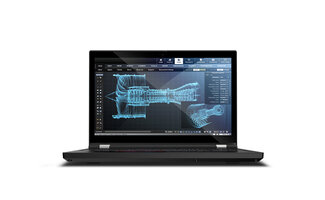

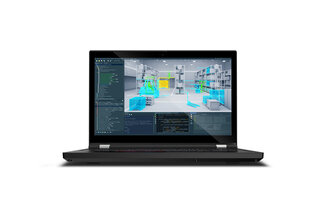
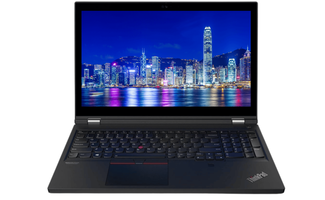
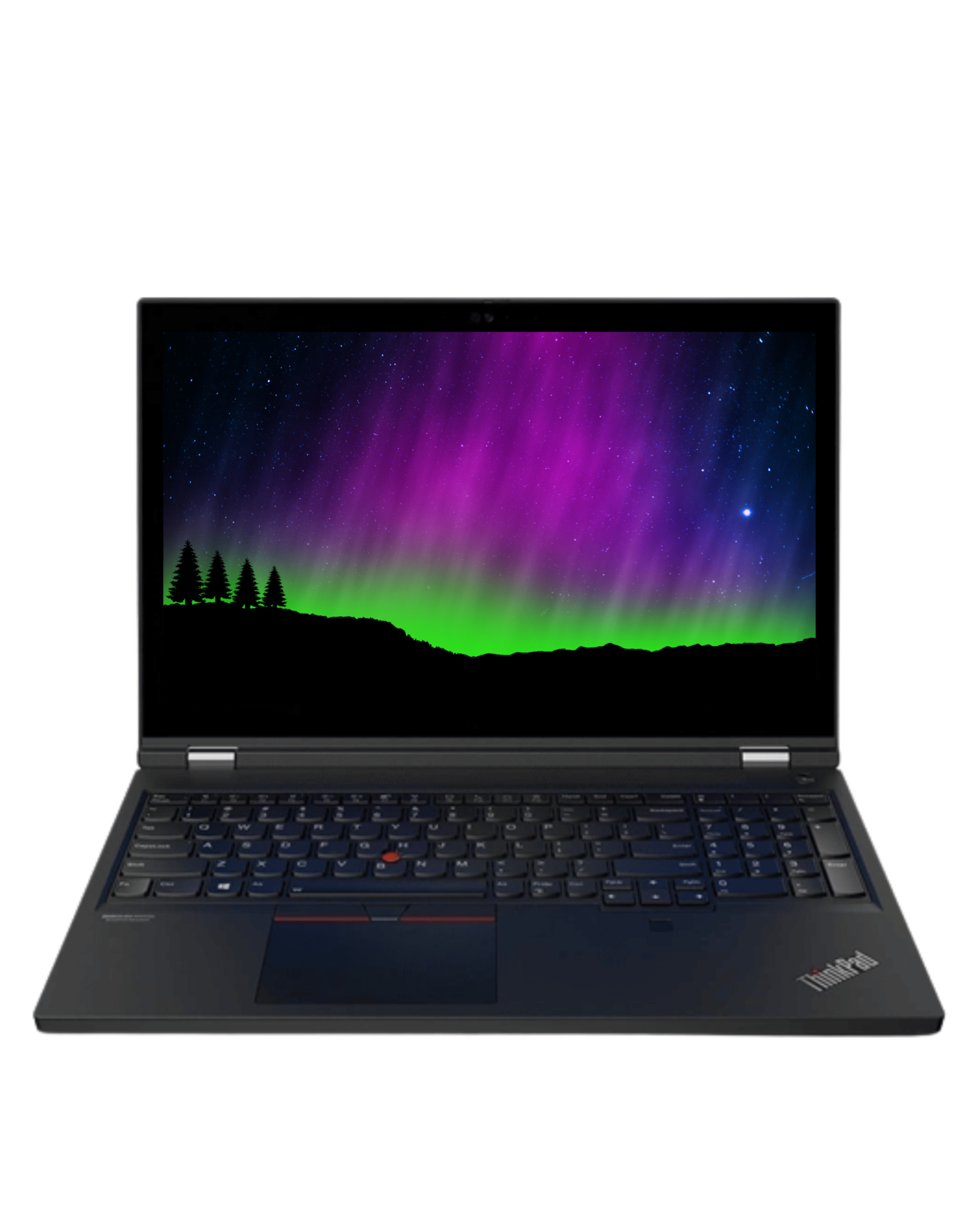
Lenovo ThinkPad P15 Gen 1
The Lenovo ThinkPad P15 Gen 1 is built for people who don't see their laptop as a “device”, but as a tool. This is a workstation designed to run heavy software day in, day out without instability, throttling or surprises. Where an average laptop mainly has to feel fast in light tasks, the P15 Gen 1 is made to stay strong when your workflow gets complex: think of CAD, 3D, simulation, codebases with heavy builds, data analysis or video production with large files. In that segment it is not about peak performance, but about consistent performance under pressure.
Because of its professional character this is a convincing business laptop for engineers, designers and IT teams who need reliability in every work environment. At the same time it is also a serious laptop for students in technical and creative programs, because you choose a system that can last several study years and isn't “used up” as soon as projects get heavier. Those who specifically want to buy a laptop that is made for intensive use find in the P15 Gen 1 exactly that calm certainty you expect from a workstation.
Also if you specifically want to buy a refurbished laptop , the P15 Gen 1 remains a logical choice: this platform is designed to last long and retains its value precisely because it is built on durability, expandability and professional components.
Most frequently asked questions about the Lenovo ThinkPad P15 Gen 1
1. What makes the Lenovo ThinkPad P15 Gen 1 different from a regular laptop?
- The P15 Gen 1 is a workstation laptop: built for heavy software and prolonged load. Instead of just being fast, it is designed for stability, cooling and expandability in workflows such as CAD, 3D, data analysis and video editing.
2. What is the difference between the Lenovo ThinkPad P15 Gen 1 and the P15 Gen 2?
- The P15 Gen 2 is the newer generation with a more modern platform and generally newer CPU configurations. The P15 Gen 1 remains attractive thanks to its proven workstation build, broad applicability and strong value for money, especially if you want to consider buying a refurbished laptop.
3. Who is the Lenovo ThinkPad P15 Gen 1 the ideal choice for?
- For engineers, CAD users, designers, developers and data professionals who work daily with heavy applications. Students in technical or creative programs also choose this type of workstation when they are looking for a laptop that lasts for years and grows with heavier projects.
4. Is the ThinkPad P15 Gen 1 a good business laptop?
- Yes. This is a robust business laptop with a focus on reliability, consistent performance and professional deployability. Ideal for organizations and self-employed people who depend on continuity, stability and a sturdy build.
5. Is the Lenovo ThinkPad P15 Gen 1 suitable for students (technical/creative)?
- For students who use heavy software, yes. Think of engineering, IT, media, design and 3D. This laptop stays stable with larger projects and is therefore a strong laptop for students who need more than standard Office tasks.
6. Which processors do you encounter in the ThinkPad P15 Gen 1?
- The P15 Gen 1 was delivered with powerful workstation CPUs. In practice you often see configurations with Intel Core i7 and sometimes Intel Core i9, depending on the configuration. The i7 is generally the balanced choice; i9 offers extra margin for heavier computing loads.
7. Which graphics cards are possible on the P15 Gen 1?
- Depending on the configuration there are professional GPU options. An NVIDIA Quadro laptop is mainly aimed at stability and professional workflows, while a GeForce RTX laptop-style configuration is more often chosen for extra GPU power in creative and GPU-accelerated tasks.
8. Is the P15 Gen 1 a laptop with graphics card that is suitable for CAD and 3D?
- Yes. This model is designed as a laptop with graphics card for professional applications. For CAD, 3D and engineering you mainly benefit from workstation behavior: consistent performance, stable under prolonged load and suitable for serious projects.
9. Is the Lenovo ThinkPad P15 Gen 1 suitable for gaming and how does it compare to gaming laptops?
- Gaming is possible, especially with a strong dedicated GPU. But this is primarily a workstation. Gaming laptops are often better optimized for maximum frame rates, while the P15 Gen 1 mainly focuses on reliability and professional performance.
10. Which screen options does the Lenovo ThinkPad P15 Gen 1 have (15.6 inch)?
- The P15 Gen 1 has a 15.6 inch laptop size that gives a lot of workspace. Depending on the configuration different resolutions and panels are possible, so you can choose between extra sharpness, more workspace or better color reproduction for visual work.
11. What about RAM: is it expandable on the P15 Gen 1?
- Yes, the P15 Gen 1 is made for workloads that demand a lot of memory. In many configurations RAM is expandable, which is ideal when you later get heavier projects or want to run more at once, such as virtual machines or large datasets.
12. Can I expand the storage and what should I look out for with SSD capacity?
- The P15 Gen 1 is aimed at professional storage needs: projects, media and datasets quickly become large. Many configurations support expansion with fast SSD storage, so you can scale capacity and speed up when your work or study demands it.
13. Is the ThinkPad P15 Gen 1 a good Windows 11 laptop?
- Yes. As a Windows 11 laptop the P15 Gen 1 is strong in professional use: fast startup, smooth multitasking and stable running of business and creative software. Windows 11 fits well with productivity and reliability in a workstation environment.
14. Does Linux work well on the Lenovo ThinkPad P15 Gen 1 (Linux laptop)?
- The P15 Gen 1 can function perfectly well as a Linux laptop, especially for developers and IT specialists. The experience depends on the hardware configuration, in particular around GPU drivers, Wi-Fi and power management. With a suitable setup you get a stable and powerful workflow machine.
15. Is there a Lenovo ThinkPad P15 Gen 1 with SIM card or LTE (laptop with SIM card)?
- There are configurations that support mobile connectivity, which can make the P15 Gen 1 interesting as a laptop with SIM card. Not every configuration has this as standard, but with LTE you work online on the go without depending on wifi or hotspots.
Lenovo ThinkPad P15 Gen 1 with a 15.6 inch screen
With the ThinkPad P15 Gen 1 you consciously choose space and overview. The 15.6 inch laptop size gives you more work surface for real productivity: multiple windows side by side, larger CAD views, wider timelines in editing, and less switching between screens. You notice this especially on long days, when comfort and focus become more important than “as compact as possible”.
That extra workspace makes the P15 Gen 1 attractive for professionals who have a lot open at once, but also for students who work with heavy software and want to be able to learn and build without limitations. It is a size that fits serious workflows: not made to disappear invisibly in a bag, but to deliver performance and ergonomics you can rely on every day.
Lenovo P15 Gen 1 processors
The ThinkPad P15 Gen 1 was delivered with powerful workstation CPUs, in particular Intel Core i7 and Intel Core i9 configurations (depending on configuration). The difference between the two lies mainly in your usage pattern and how often you push the limits of your processor.
If you choose an Intel Core i7 laptop, you have a very strong basis for professional work: heavy multitasking, software development, multiple virtual environments, large spreadsheets and productivity tools that are continuously “on”. The strength of i7 in a workstation lies in the combination of stability and efficiency: you keep speed in your workflow without your system getting restless during longer sessions.
If you structurally work with heavier calculations, large datasets, intensive renders or complex projects where the CPU runs at a high level for a long time, then an Intel Core i9 laptop is often the right step. The Intel Core i9 gives extra headroom during peak load and more margin when you run multiple heavy processes at the same time. For power users who really use their workstation as their primary computing machine, that is exactly the difference you feel daily.
ThinkPad P15 Gen 1 NVIDIA Quadro laptop or GeForce RTX laptop graphics
At its core, the ThinkPad P15 Gen 1 is a laptop with graphics card for professional work. Depending on the configuration you encounter configurations with NVIDIA Quadro laptop graphics or GeForce RTX laptop graphics (workstation variants). The important distinction lies not only in “speed”, but in purpose and behavior under load.
An NVIDIA Quadro laptop configuration is generally aimed at professional stability and predictability in software that demands it: CAD, 3D design, engineering and visualization. In that kind of application you mainly want consistent performance, reliability and a system that can run for hours without odd glitches or unexpected behavior. That is exactly what workstation graphics distinguish themselves on.
A GeForce RTX laptop-oriented configuration is interesting when you do a lot of GPU-accelerated tasks that benefit from brute computing power: rendering, creative suites, real-time effects and other workloads where the GPU plays a big role. It is then about maximum throughput and responsiveness when your projects get heavier.
In short: the P15 Gen 1 is a workstation that you can choose as a laptop with graphics card so that it matches your software. If you mainly work with certified, professional tools and want maximum stability, a Quadro profile often fits better. If you mainly want extra GPU power for creative workloads, RTX is often more attractive.
Mobile workstation with expandability for serious projects
One of the reasons the ThinkPad P15 Gen 1 is so beloved is that the platform is built around expandability and long-term use. In workstation work your workload almost always grows: projects become larger, datasets heavier, software more complex and your multitasking more intensive. That is why it is important that your system isn't “locked”, but can grow with your work or study.
In practice this means that in many configurations you can count on ample options for memory and fast SSD storage, so you can scale up later when you need to. That makes the P15 Gen 1 interesting for professionals who use their workstation for several years, but also for students who start with heavy software and want to avoid having to upgrade again halfway through their program.
Robust design and mobility of the P15 Gen 1
The ThinkPad P15 Gen 1 feels like what it is: a workstation that has to withstand daily use. The casing is sturdy, the construction is designed for intensive deployment and everything breathes “work tool” instead of “consumer laptop”. You see that in the solidity, but also in the consistency: the system is made to perform under pressure, without the experience becoming unstable.
At the same time it remains a laptop you can take along. Not ultralight, but built to work professionally mobile: at the office, on location, in a lab, in a studio or on the way between projects. The point of the P15 Gen 1 is not that it is the smallest, but that you retain the same work certainty everywhere—exactly what you expect from a workstation.
Security and reliability with the Lenovo P15 G1
In professional environments reliability is more than “it works”. You want a system that is predictable, safe to work with and designed to protect your data and workflow. The ThinkPad P15 Gen 1 fits well with business security options and hardware-based basic security that suits organizations and professionals.
More importantly: the P15 Gen 1 is designed with continuity as the starting point. You notice this when you run long sessions, have a lot open at once or use heavy applications that must not crash. This is exactly why the P15 Gen 1 is a fixed value for many users as a business laptop: you build your work process on a foundation that you don't constantly have to “manage”.
Who is the Lenovo ThinkPad P15 Gen 1 the ideal choice for?
✅Laptop for engineers and CAD users
If you work with CAD software, technical simulations or 3D models, you need a laptop that keeps performing stably for a long time. The P15 Gen 1 is a laptop for engineers made for heavy files, complex projects and workflows in which reliability is more important than just a high benchmark score.
✅Laptop for architects and designers
For architecture and design it is about detail, overview and switching smoothly between multiple programs. The P15 Gen 1 is a laptop for designers that gives you the space and performance to run render jobs, visualizations and project work comfortably without your system “collapsing” as soon as your workload rises.
✅Laptop for creative professionals
Video, content and graphic applications demand consistent performance, especially when you work with large media, exports and multiple tools at once. The P15 Gen 1 is a laptop for creative professionals who benefit from workstation stability and a system that stays strong during long production sessions.
✅Laptop for developers and IT specialists
For development, virtualization and IT work stability is essential: builds, containers, virtual machines and tooling often run for hours. The P15 Gen 1 is a laptop for developers that supports your workflow when you run a lot at once and your system mainly has to stay “calm”.
✅Laptop for data analysts and researchers
With data workflows you want predictable performance, especially when processes run long and you work with large datasets. The P15 Gen 1 is a laptop for data analysts that offers consistency under computing load, processing and multitasking, without surprises halfway.
✅Laptop for students in technical or creative programs
For students this is a strong choice when your program demands more than Office. The P15 Gen 1 is a laptop for students who work with engineering, IT, media, design or 3D and are looking for a system that lasts several years, even when projects get heavier every year.
Is the Lenovo ThinkPad P15 Gen 1 suitable for gaming?
✅The ThinkPad P15 Gen 1 can run games, especially when you have a configuration with a powerful dedicated GPU. For those who want to game occasionally alongside work or study, that is perfectly possible and often better than you would expect from a “workstation”.
⚠️At the same time it is important to stay realistic: this is not a machine built with gaming as its primary goal. Gaming laptops are generally more sharply optimized for maximum fps, cooling profiles and tuning specifically aimed at games. The P15 Gen 1 instead opts for stability and professional behavior under load.
Conclusion: if you want a workstation that can also handle gaming, this is a fine route. If you primarily want a laptop for games, gaming laptops are usually the better choice.
Windows 11 on the Lenovo ThinkPad P15 G1
As a Windows 11 laptop the ThinkPad P15 Gen 1 comes into its own, especially when your workflow consists of a lot of switching, having a lot open at once and losing little time waiting. Windows 11 offers a modern, clear working environment and fits well with how professionals work: organizing windows, running multiple projects in parallel, combining video meetings with documents and cloud tools, while keeping heavy applications active.
In combination with workstation hardware that feels “calm”: you notice that the system doesn't constantly demand attention, but rather gives room for focus. For business applications, creative software and productivity at a high pace the P15 Gen 1 as a Windows 11 laptop is a solid, professional basis.
Linux on the Lenovo ThinkPad P15 Gen 1
The ThinkPad P15 Gen 1 is also interesting as a Linux laptop, especially for developers and IT specialists who want maximum control over their environment. Think of working with terminals, containers, virtualization and build processes where stability and predictability are important. In that type of workflow a workstation architecture often fits better than a standard consumer laptop.
The Linux experience does remain dependent on the exact hardware configuration, in particular around GPU drivers, Wi-Fi and power management. With a configuration that matches well with your distribution you get a powerful Linux laptop that behaves as you expect in a professional setup: fast, stable and made to run long sessions without noise.
Lenovo ThinkPad P15 G1 with SIM card
If you often work on the go and don't want to depend on changing wifi networks or a hotspot that drops just during a meeting, then a configuration with mobile connectivity can be interesting. In that scenario the P15 Gen 1 is a laptop with SIM card with which you can work online right away on location, on the train or while traveling.
Not every configuration has LTE as standard, but when your configuration supports it, it mainly brings convenience and continuity: your workflow continues, your cloud files remain reachable and you have to improvise less with connections. For professionals who move around a lot, a laptop with SIM card is often the difference between “just about works” and “always works”.
Compare and find your perfect Lenovo ThinkPad workstation
Lenovo ThinkPad P15 Gen 2
The newer generation with a more modern platform and generally newer CPU configurations. Interesting if you want maximum compatibility and longer software support.
ThinkPad Workstation P1 G1 – G2
For those who want workstation power in a slimmer, premium and more mobile design.
Lenovo ThinkPad P53 / P53s
The P53 is the sturdy workhorse for heavier projects; the P53s is the more mobile variant with a slimmer profile.
Lenovo ThinkPad P52 / P52s
Known for reliable deployability in professional environments; the P52s is lighter for those who travel more often.
Lenovo ThinkPad P50 / P50s
Proven workstations with an emphasis on solidity and prolonged load; the “s” is more compact and mobile.
Lenovo ThinkPad P15s / P15v
More practical and often lighter: aimed at professionals who want workstation feel without the full-size P15 class.
Lenovo ThinkPad P51 / P51s
Older generation workstations that are still popular for their ThinkPad solidity and stable performance.
Lenovo ThinkPad W-series
The classic foundation of Lenovo's workstation line: robust, no-nonsense and aimed at professional use.
Why buy at Qwerty Tech
✅Competitively priced and transparent
At Qwerty Tech you know where you stand: clear prices, clear specifications and no hidden costs. That is important when you choose a professional machine and want to know exactly what you are buying.
✅Available immediately from our own stock
No unnecessary waiting times and no vague delivery times. What you order can be delivered quickly so your work or study doesn't have to wait.
✅Professionally tested and ready to go
Every laptop is technically checked, cleaned and made ready for use. You get a system that is immediately ready to be productive, without hassle with basic settings.
✅Personal service and support
You get help that thinks along with your use: which configuration fits your software, workload and future plans. That makes the difference between “a laptop” and “the right choice”.
✅Always 2 years warranty
You buy with certainty. Even with intensive use you want to know you are not alone when something happens—that is why you get 24 months warranty as standard.


