



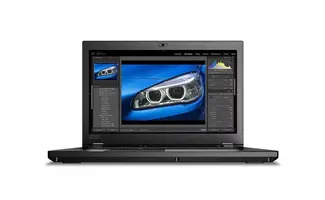

The ThinkPad P52 and P52s: two 15.6 inch workstations with 8th gen Intel
The Lenovo ThinkPad P52 and ThinkPad P52s are two 15.6 inch workstations with an 8th gen Intel processor, an NVIDIA Quadro graphics card and a full keyboard with numeric keypad. They share a name and a screen size, but they are built for different work. The P52 is a heavy mobile workstation with a six-core Core i7, Core i9 or Xeon, an NVIDIA Quadro P1000, P2000 or P3200 and four memory slots. The P52s is a thinner laptop from 1.99 kilograms with a low-power quad-core Core i5 or i7, an NVIDIA Quadro P500 with 2 GB and two memory slots for up to 32 GB.
On this page you can read, part by part, what the P52 and P52s can do, where they differ and which configuration suits which kind of work. Whether you want a refurbished Lenovo laptop with a professional graphics card for AutoCAD, for 3D models or for engineering calculations, you will know exactly what to look for.
At a glance: P52: Core i7-8750H, i7-8850H, i9-8950HK or Xeon E-2176M · Quadro P1000, P2000 (4 GB) or P3200 (6 GB) · 4 memory slots, up to 64 GB with ECC or 128 GB without ECC · 2x M.2 plus 2.5 inch drive · from 2.45 kg. P52s: Core i5-8350U, i7-8550U or i7-8650U · Quadro P500 (2 GB) · 2 memory slots, up to 32 GB · from 1.99 kg.
Frequently asked questions about the ThinkPad P52 and P52s
What is the difference between the ThinkPad P52 and P52s?
The P52 has six-core H-series processors up to a Core i9 or Xeon, a Quadro P1000, P2000 or P3200, four memory slots and room for three drives, and weighs from 2.45 kilograms. The P52s has low-power quad-core Core i5 or i7 processors, a Quadro P500, up to 32 GB and one storage bay, and weighs from 1.99 kilograms.
Which graphics card does the ThinkPad P52 have?
An NVIDIA Quadro P1000 or P2000 with 4 GB, or a Quadro P3200 with 6 GB, depending on the configuration, alongside the Intel UHD Graphics in the processor. The P52s has a Quadro P500 with 2 GB GDDR5.
Are the P52 and P52s suitable for AutoCAD?
Yes. Lenovo has the P series certified for professional software; which applications and versions have been tested is listed on Lenovo's ISV list. For 2D drafting and small models, the P52s with Quadro P500 is sufficient. For larger 3D models, choose a P52 with a Quadro P1000, P2000 or P3200.
How much memory does the P52 support?
The P52 has four SO-DIMM slots. Lenovo lists up to 64 GB with ECC, Xeon only, or up to 128 GB without ECC; the 128 GB was available on special request only. The P52s has two slots for up to 32 GB.
Can I charge the P52 over USB-C?
No. According to Lenovo, the P52's USB-C ports only supply power to devices. The P52 charges with a 170 watt slim tip adapter. The P52s does charge over USB-C, with a 65 watt adapter.
Do the P52 and P52s have a SIM card slot?
Only the configurations with a 4G module. They have a nano SIM card slot. Whether your unit has 4G is listed with the product.
Do the P52 and P52s run Windows 11?
Microsoft lists 8th gen Intel Core and the Xeon E-2100 series on its list of processors supported by Windows 11, and both models have a TPM 2.0 chip. In PSREF, Lenovo lists only Windows 10.
P52 or P52s: the key decision
The two models share the 15.6 inch format, the spill-resistant keyboard with numeric keypad, the TrackPoint, Thunderbolt 3, Gigabit Ethernet and an SD card reader. The P52 has six-core H-series processors, a Quadro card with 4 or 6 GB of video memory, four memory slots and room for three drives. It weighs from 2.45 kilograms, is 24.5 to 29.4 millimetres thick and charges with a 170 watt slim tip adapter. The P52s has quad-core U-series processors, a Quadro P500 with 2 GB, two memory slots for up to 32 GB and one storage bay. It weighs from 1.99 kilograms, is about 20 millimetres thick and charges over USB-C with a 65 watt adapter.
In practice the choice comes down to whether the laptop mostly stays on a desk or mostly travels with you. If you work with large assemblies, renders or simulations, you need the processing power, video memory and expansion room of the P52. If you mainly draft in 2D, work with smaller models and take the laptop to clients, building sites or lectures every day, the P52s is almost half a kilo lighter.
Processor: six cores in the P52, four in the P52s
Every processor in the P52 has six cores and twelve threads. The Core i7-8750H runs at 2.2 GHz with a turbo of up to 4.1 GHz and has 9 MB of cache; the Core i7-8850H runs at 2.6 GHz up to 4.3 GHz, also with 9 MB. The Core i9-8950HK is the fastest Core option, at 2.9 GHz with a turbo of up to 4.8 GHz and 12 MB of cache. The Xeon E-2176M runs at 2.7 GHz up to 4.4 GHz with 12 MB of cache and is the only processor in the P52 that supports ECC memory. ECC memory detects and corrects small memory errors by itself. That matters for calculations and simulations that run for hours. Some configurations support Intel vPro, which lets an IT department manage laptops remotely.
The P52s has 8th gen U-series processors designed for low power use: the Core i5-8350U (1.7 GHz, up to 3.6 GHz, 6 MB cache), the Core i7-8550U (1.8 GHz, up to 4.0 GHz, 8 MB) and the Core i7-8650U (1.9 GHz, up to 4.2 GHz, 8 MB), all three with four cores and eight threads. For drafting in AutoCAD, office work and light models that is enough. With long renders, large compile jobs or several virtual machines you will notice the difference with the six cores of the P52. Looking for a Core i7 in a different series? Browse our Intel Core i7 laptops.
Graphics: Quadro P500 to Quadro P3200
Alongside the Intel UHD Graphics 630 in the processor (P630 with the Xeon), the P52 has a discrete NVIDIA card: a Quadro P1000 or Quadro P2000, each with 4 GB of video memory, or a Quadro P3200 with 6 GB, which Lenovo lists as VR ready. Quadro is NVIDIA's professional line. Its drivers focus on stability in applications such as AutoCAD, Revit, SolidWorks and Inventor, and Lenovo has the P series certified for professional software. Which applications and versions have been tested is listed on Lenovo's ISV list.
The P52 drives up to four displays at once: the built-in screen plus three external monitors, via HDMI, Mini DisplayPort or Thunderbolt. Over Mini DisplayPort it reaches 3840 x 2160 at 60 Hz, over HDMI 4096 x 2160 at 60 Hz and over Thunderbolt 5120 x 2880 at 30 Hz. The P52s has Intel UHD Graphics 620 plus an NVIDIA Quadro P500 with 2 GB GDDR5. It drives up to three displays, the built-in screen plus two external ones, at up to 4096 x 2304 at 60 Hz over USB-C and 4096 x 2160 at 30 Hz over HDMI.
What does that mean for you? As a laptop for AutoCAD in 2D and for small 3D models, the Quadro P500 in the P52s is sufficient. For medium-sized models in Revit or SolidWorks, choose a P52 with a Quadro P1000 or P2000, and for heavy assemblies, renders or VR a P52 with a Quadro P3200. More video memory means larger models and textures fit on the card, so the image stays smooth when you rotate or zoom into a model. Looking for another laptop with a graphics card? See our full range.
The display: Full HD or 4K
Both models have an anti-glare 15.6 inch screen in 16:9. The P52 has a Full HD screen (1920 x 1080) at 300 nits with 72 percent colour gamut and a 700:1 contrast ratio, or a 4K touchscreen (3840 x 2160) at 400 nits with 100 percent colour gamut, a 1000:1 contrast ratio and a 170 degree viewing angle. According to PSREF, the P52 had no factory colour calibration.
The P52s has a 250 nit Full HD screen with 45 percent colour gamut and a 700:1 contrast ratio, optionally as a touchscreen, or a 300 nit 4K screen with 72 percent colour gamut and a 1000:1 contrast ratio, without touch. The 45 percent panel is fine for drawings, documents and spreadsheets, but shows less saturated colours and is not intended for photos or print work. For photo and colour work, the P52 with the 100 percent 4K screen is the logical choice of the two. 4K also gives you a lot of sharpness on fine lines in drawings. See also our 4K laptops and touchscreen laptops.
Memory and storage
The P52 has four SO-DIMM slots for DDR4, in dual channel. Lenovo lists a maximum of 64 GB with ECC, only in combination with the Xeon, or 128 GB without ECC; Lenovo supplied those 128 GB on special request only. The modules are 2666 MHz, but run at 2400 MHz due to an Intel limitation. Four slots mean you can upgrade later: start with 16 or 32 GB and add modules as your projects grow. That makes the P52 well suited to large models, datasets and virtual machines.
For storage, the P52 has room for three drives: two M.2 2280 SSDs on PCIe 3.0 x4 (NVMe) and a 7 millimetre 2.5 inch drive. With RAID 0 or 1 you can combine two SSDs for extra speed or for an automatic copy, and Intel Optane memory was optional.
The P52s has two SO-DIMM slots for up to 32 GB of DDR4-2400. There is one storage bay: a 2.5 inch drive or an M.2 2280 SSD on PCIe 3.0 x2, not both. Optionally, Lenovo fitted a second 128 GB M.2 SSD in the 4G module slot; that configuration then has no 4G. The memory and storage of each unit are always listed with the product.
Ports, networking and docking
The P52 has three USB-A ports (USB 3.1 Gen 1, one of them Always On to charge your phone while the laptop is off), two Thunderbolt 3 ports over USB-C, Mini DisplayPort 1.4, HDMI 2.0, Gigabit Ethernet, an audio jack and a 4-in-1 card reader that supports fast UHS-II SD cards. The latter saves time when you import photos or video from a camera. Note: according to Lenovo, the P52's USB-C ports only supply power to devices and do not charge the laptop itself.
The P52s has two USB-A ports (USB 3.1 Gen 1, one of them Always On), one USB-C 3.1 Gen 1 port and one Thunderbolt 3 port, both with power and display output, HDMI 1.4b, Gigabit Ethernet, an audio jack, a 4-in-1 card reader and a side docking connector. With that connector you click the laptop onto a ThinkPad dock, so monitors, network and power are connected in one move. See also our Lenovo docking stations.
Wireless, the P52 has Intel Wireless-AC 9560 (Wi-Fi 5, 2x2) with Bluetooth 5.0, the P52s Intel Wireless-AC 8265 (2x2) with Bluetooth 4.1. On both, a smart card reader, NFC and 4G are optional. Only configurations with a 4G module have a nano SIM card slot. If you are often on the road, also see our laptops with SIM card.
Build, keyboard and security
The P52 measures 377.4 x 252.3 millimetres and is 24.5 to 29.4 millimetres thick (25.8 to 30.7 with touchscreen). Without touchscreen it weighs from 2.45 kilograms, with touchscreen from 2.9 kilograms. The lid is glass-fibre reinforced plastic, the bottom magnesium-aluminium. The P52s measures 365.8 x 252.8 millimetres, is 19.95 to 20.2 millimetres thick and weighs from 1.99 kilograms; lid and bottom are glass-fibre reinforced plastic. Both have passed MIL-STD-810G testing, a series of military tests covering shock, vibration and temperature, among other things.
The keyboard has six rows and a numeric keypad and is spill-resistant; on the P52 it is always backlit, on the P52s optionally. The numeric keypad is handy for entering dimensions and coordinates in CAD and for spreadsheet work. Both have the red TrackPoint. The webcam is 720p with a ThinkShutter privacy cover, or 720p with an IR camera for face recognition with Windows Hello. Two 2 watt speakers with Dolby Audio Premium and two microphones make video calls straightforward. For security, both have a discrete TPM 2.0 chip, power-on, hard disk and supervisor passwords, and a fingerprint reader on the palm rest (optional on the P52s).
Windows 11 and Linux
In PSREF, Lenovo lists Windows 10 Home, Pro and Pro for Workstations for the P52, and Windows 10 Home and Pro for the P52s; Linux is not listed for either. Microsoft lists 8th gen Intel Core and the Xeon E-2100 series on Microsoft's list of processors supported by Windows 11, and both models have the TPM 2.0 chip that Windows 11 requires. Looking for Windows 11? See also our Windows 11 laptops. If you want a laptop for which Lenovo officially lists Linux, look at the ThinkPad P53 and P53s or our Linux laptops.
ThinkPad P52 and P52s specifications
| Component | P52 | P52s |
|---|---|---|
| Processor | Core i7-8750H, i7-8850H, i9-8950HK or Xeon E-2176M (6 cores) | Core i5-8350U, i7-8550U or i7-8650U (4 cores) |
| Graphics | Quadro P1000, P2000 (4 GB) or P3200 (6 GB) | Intel UHD 620 and Quadro P500 (2 GB GDDR5) |
| Memory | 4 slots, up to 64 GB ECC (Xeon) or 128 GB non-ECC | 2 slots, up to 32 GB DDR4-2400 |
| Storage | 2x M.2 NVMe plus 2.5 inch, RAID 0/1 | 1x 2.5 inch or M.2 |
| Display | 15.6 inch Full HD or 4K touch | 15.6 inch Full HD (optional touch) or 4K |
| Ports | 2x Thunderbolt 3, 3x USB-A, Mini DP 1.4, HDMI 2.0, SD (UHS-II), Ethernet | Thunderbolt 3, USB-C, 2x USB-A, HDMI 1.4b, SD, Ethernet, side dock |
| Wireless | Wireless-AC 9560, Bluetooth 5.0, optional 4G | Wireless-AC 8265, Bluetooth 4.1, optional 4G |
| Thickness | 24.5 to 29.4 mm | 19.95 to 20.2 mm |
| Weight | from 2.45 kg (touch 2.9 kg) | from 1.99 kg |
Source: Lenovo PSREF, specifications ThinkPad P52 and ThinkPad P52s. The exact configuration of your unit is listed with the product.
Where the P52 and P52s fit in the family
Their successors are the ThinkPad P53 and P53s. The P53 has 9th gen processors, Quadro RTX cards, Wi-Fi 6 and an OLED option, in a chassis with the same dimensions as the P52. At 1.75 kilograms the P53s is lighter than the P52s and has a Quadro P520 and up to 48 GB of memory, but no room for a 2.5 inch drive. If you want a 2.5 inch drive in the lighter model, the P52s is the better fit.
If you want a thin 15.6 inch workstation with the same 8th gen H-series processors, look at the ThinkPad P1 Gen 1. All models side by side are in our overview of workstation laptops.
Who are the P52 and P52s for?
The P52 suits engineers, designers and drafters looking for a workstation laptop with lots of memory, several drives and a Quadro card. The configuration with a Xeon and ECC memory suits calculations and simulations where reliability comes first, the one with a Quadro P3200 suits renders, large assemblies and VR.
The P52s suits students and technicians looking for a laptop for AutoCAD and drafting that can travel every day, and anyone who wants a business laptop with a large screen, a numeric keypad and a side dock. For heavy 3D models and renders we recommend a model with more video memory, such as a P53 with a Quadro RTX 3000 or higher.
Why buy a refurbished Lenovo ThinkPad P52 or P52s from Qwerty-Tech
Every refurbished ThinkPad P52 or P52s from Qwerty-Tech is fully technically checked. Using Lenovo's diagnostic software we test the processor, memory, storage, screen, ports and hinges, among other things. Three different people assess every unit: at purchase, at registration and at the final check just before shipping. We grade the cosmetic condition in five classes, from brand new to visible signs of use, and the worst part determines the grade. How we do this is explained on our page about laptop condition.
The battery always holds at least 80 percent of its original capacity. We measure this with Lenovo's software. If a battery is weaker, we replace it with a refurbished battery of at least 80 percent. If that is not possible, we do not sell the laptop. Read more under battery condition. Data is wiped with certified software, and Windows or Linux is installed and activated.
You get a standard 2-year warranty, which on many units can be extended to 3 years on the product page. If a unit is in stock and you order today, it ships the next working day, insured and registered. For teams and businesses we are happy to put together a custom quote.