




Buy a desktop PC
Anyone looking for a computer for daily use preferably chooses a solution that performs predictably and can last for years. A desktop PC is still the most stable basis for that. You work in a fixed place with consistent performance, without the compromises you more often see with compact systems. That makes a desktop particularly suitable for office work, working from home, study and any environment in which you want to stay productive without interruptions.
An important advantage of a desktop PC is the calm in use. Because the casing offers more space, the hardware can cool better and function more stably, even when you work longer days or use multiple programs at once. In practice this translates into smooth multitasking, fast response times and a system that doesn't “collapse” as soon as you ask a little more than basic use. Especially if you work with many tabs, Office, Teams, administration, online tools or larger files you notice the difference in continuity.
In addition, a desktop fits perfectly within a professional workplace. You easily connect a large screen, work more ergonomically with a full keyboard and mouse, and create a setup aimed at comfort and efficiency. For organizations it is also a practical choice: fixed workplaces are clear to manage, easy to expand and keep performing consistently over a longer lifespan.
In short: a desktop PC is not an “old” choice, but a business, rational choice for those who want certainty. A good desktop PC supports your rhythm, stays reliable in the background and ensures you can work without friction.
Most frequently asked questions about desktop PCs
1. What is the difference between a desktop and a PC?
- A PC (personal computer) is a general term for computers, including desktops and laptops. A desktop PC is specifically a PC intended for a fixed workplace and usually consists of a separate case with a connected monitor, keyboard and mouse.
2. What is the best desktop PC?
- The best desktop PC depends on your use. For office and working from home, a business configuration with SSD and sufficient RAM is often the best balance. For heavier tasks (lots of multitasking, data, development) a more powerful configuration is more logical. Those who seek maximum reliability often choose business models such as a refurbished Lenovo desktop PC or a refurbished HP desktop PC.
3. What does a new desktop PC cost?
- The price of a new desktop PC differs greatly per performance and configuration. Basic models are relatively affordable, while powerful systems (more RAM/storage and heavier components) quickly add up. Many customers therefore consciously choose desktop PC deals or a refurbished desktop PC, because that often gets you more business quality for a sharper investment.
4. Is a 7-year-old computer still good?
- It can be, but it depends on the hardware and use. For basic work a 7-year-old PC can still suffice, especially with an SSD and enough RAM. For modern requirements such as security, updates and heavier software, 7 years is often the moment when upgrading or replacing becomes the most stable choice.
5. At what age should a computer be replaced?
- On average that is around 5 to 8 years, depending on maintenance and load. Business desktops often last longer, especially if you expand RAM or storage in the meantime. Replacing is particularly wise when performance structurally falls short, the system becomes unstable or you no longer receive secure updates.
6. How old can a PC be for Windows 11?
- Windows 11 has stricter hardware requirements, such as TPM 2.0 and Secure Boot and a supported processor. In practice many systems from before approximately 2017/2018 are often not officially suitable. If you want certainty, choose a refurbished desktop PC Windows 11 that demonstrably meets the requirements.
7. What is better, Windows 10 or 11?
- Windows 11 is usually the best choice if your hardware supports it: more modern, more future-oriented and focused on security and productivity. Windows 10 can still work fine on older systems, but is less future-proof. If you are investing in a desktop now for the coming years, Windows 11 is generally more logical.
8. Should I upgrade my 7-year-old PC?
- Upgrading makes sense if the basis is still reliable and you mainly miss speed. An SSD and extra RAM often deliver the most effect. If your PC is not suitable for Windows 11, is unstable or falls short in performance, then replacing it with a refurbished desktop PC is often the wisest choice.
Desktop PC deals
Those who specifically search for desktop PC deals mainly want one thing: as much performance and reliability as possible for a smart budget. That is logical—especially when you buy a desktop for daily use at the office or at home. The difference between a “cheap computer” and a truly good deal lies not only in the price, but in what you get back for it: stable hardware, smooth performance and a system that doesn't fall short again after a year.
At Qwerty-Tech, desktop PC deals are therefore not temporary lures, but a practical way to make professional desktops accessible. You benefit from business systems designed for intensive use, so you often get more quality than with many new consumer models in the same price class. Think of sturdier components, better build quality and a reliability that is essential in business environments.
A good deal can also be recognized by the configuration. Don't just look at the lowest price, but especially at the components that determine the experience: sufficient memory for smooth multitasking, SSD storage for fast startup and loading times, and connections that fit your workplace (for example for one or more monitors). When that basis is right, a deal doesn't feel like “just enough”, but like a desktop with which you are immediately productive.
In short: with the right desktop PC deals you bring home a professional work computer that is not only affordable, but above all reliable and future-oriented. That is exactly what a good deal is about: maximum value, without compromises.
Refurbished desktop PC
A refurbished desktop PC is meant for people who want high reliability, but don't want to pay unnecessary budget for “new in box”. Instead of consumer hardware you choose business desktops that have been designed for years for intensive daily use. That makes refurbished not only more affordable, but above all a rational choice: you invest in proven quality that can last a long time.
It is important, however, that “refurbished” is also truly done professionally. A refurbished desktop PC should not be a gamble, but a checked system that is technically in order and delivered ready for immediate use. Think of testing essential components, checking stability and optimizing performance. Especially in a business or home-working context you want certainty: you want to start, work and keep going, without surprises.
The advantage of a refurbished desktop PC lies in the combination of value and reliability. You often get sturdier build quality and more stable components than with many new budget models, while still benefiting from a much more favorable price level. In addition, refurbished is a sustainable choice: you extend the life of high-quality hardware and prevent unnecessary production of new devices, without compromising on functionality.
In short: a refurbished desktop PC is ideal if you are looking for a professional desktop that is financially smart, stays technically reliable and fits perfectly within a workplace where continuity is important.
HP desktop PC refurbished vs Lenovo desktop PC refurbished
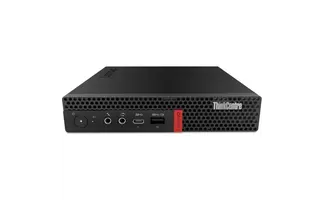
A refurbished HP desktop PC is a well-known option for those looking for a solid business desktop. HP systems are widely used in organizations and generally offer stable performance for daily work. Still, in practice we see that a refurbished Lenovo desktop PC (in particular from the ThinkCentre line) often scores just a step higher on points that really matter in a business workplace: build quality, ease of maintenance, efficiency and consistent deployability over a long period.
Where a refurbished HP desktop PC is often a solid all-round choice, a refurbished Lenovo desktop PC is chosen by many companies precisely because of the very consistent business engineering. Lenovo ThinkCentre desktops are known for their robust chassis, well-thought-out airflow and practical internal layout. That means: more stable behavior under prolonged load, fewer “thermal” limitations and often quieter operation in the workplace. For users who sit at their computer many hours a day, that is not a detail but a directly noticeable quality difference.
In addition, Lenovo often wins on management and maintenance. A refurbished Lenovo desktop PC is in many models designed with quick service access (tool-less or semi-tool-less), clear component placement and clear expansion possibilities. That is attractive for companies (faster management, simpler upgrades), but also for home workers who later want to add extra storage or memory, for example. With refurbished HP PC desktops this can differ per series; with Lenovo that business standard is generally more consistent.
You also see the difference in value retention and deployability. Lenovo ThinkCentre has for years been one of the most deployed business desktop series in office environments and educational institutions. That translates into a refurbished offering that is often very “workplace-proof”: reliable, efficient and made to keep running for years. That is why a refurbished Lenovo desktop PC is in many cases the choice you would rather position slightly higher: not because HP is bad, but because Lenovo in the business segment often offers just a bit more certainty and uniformity.
In summary:
- refurbished HP desktop PC: solid, reliable and widely available.
- refurbished Lenovo desktop PC: more often the best overall business choice due to build quality, ease of maintenance and consistent workplace performance.
Refurbished desktop PC i7
Those who want to be able to work without delay often choose a refurbished desktop PC i7. An Intel Core i7 configuration is eminently suitable for users who do a lot at once, process large files or simply want a desktop that still has ample margin in a few years. Think of intensive multitasking, working with heavy spreadsheets, databases, development environments, analyses, multiple screens and workflows in which speed and stability are important.
The great advantage of a refurbished desktop PC i7 is that you get top-class business computing power for a considerably more attractive investment than new. Especially with professional desktops from business environments, i7 is not meant as “marketing”, but as practical performance: higher clock speeds, more processing room and a system that stays stable under load thanks to better cooling and robust component choice.
When do you choose i3, i5 or i7?
You don't always have to choose the heaviest. The best choice depends on your daily work:
- Intel Core i3 desktop PC
Suitable for basic use: email, internet, Office, administration and light multitasking. This is the efficient choice if you mainly carry out standard tasks and want a quiet, economical workplace. - Intel Core i5 desktop PC
The best all-round option for most users. Ideal if you often have multiple programs open at once, work more intensively with cloud tools, regularly use larger files or simply want extra “room” in your performance without overkill. - Intel Core i7 desktop PC / refurbished desktop PC i7
For those who work heavily or want maximum reserve. Think of data work, development, heavy multitasking, many browser tabs, larger projects and prolonged load. Also if you want to keep using your desktop problem-free for several years, this is the most future-oriented choice.
Practical advice: combine an i7 preferably with sufficient memory (for example 16GB or more) and SSD storage. Then you get the maximum out of the speed and the system feels not only powerful, but also immediate and smooth in daily use.
Refurbished desktop PC Windows 11 or Linux
Whether you want a modern office environment or maximum control over your system: with a business desktop you have the freedom to choose the operating system that best fits your way of working. That is why, besides Windows, we also deliver configurations that are excellently suited for Linux. That way you build a workplace that performs stably, is set up securely and connects directly to your software and workflow.
Refurbished desktop PC Windows 11: modern, secure and widely compatible
A refurbished desktop PC Windows 11 is a logical choice if you want to start without hassle in a modern and familiar environment. Windows 11 is strong in daily productivity: clear multitasking, broad support for business software and compatibility with tools that many organizations use. For working from home, the office and study it is a practical standard, especially when you work with Office, Teams, Outlook and cloud applications. In combination with business desktop hardware this results in a workplace that starts up quickly, responds smoothly and keeps running consistently.
Linux desktop: maximum control, stability and efficiency
A Linux desktop is especially interesting for users who value flexibility, performance efficiency and control over how the system is set up. Think of developers, IT staff, technical users and organizations that like to work with open source. On business desktops Linux generally runs particularly stably: the hardware is made for predictable, long-term use and connects well with distributions such as Ubuntu, Debian and Fedora.
With a Linux desktop you often benefit from:
- A light, fast working environment (also on more compact systems),
- Strong security and transparency,
- Excellent possibilities for development, scripting and virtualization,
- And a setup you can fully configure as you wish.
Which choice is the most logical?
- Choose Windows 11 if you want maximum compatibility with common office software and “plug-and-play” is important.
- Choose Linux if you use open source, develop, do administration or want a system you can fully shape yourself.
In short: whether you choose a refurbished desktop PC Windows 11 or a Linux desktop, the basis remains the same: business hardware designed to perform stably and reliably at a fixed workplace.
Buying a desktop PC vs buying a laptop
Are you doubting between buying a desktop PC or buying a laptop? Then ultimately it comes down to one question: do you mainly work in one fixed place, or do you truly need mobility? Both options can be excellent, but they are made for a different priority. A laptop is designed to take along; a desktop is designed to perform stably every day at a fixed workplace.
When is buying a desktop PC the best choice?
Buying a desktop PC is often the wisest choice when you mainly work at home or at the office and reliability, comfort and constant performance are important. Desktops generally have better cooling and more room for stable components, so they keep performing more consistently during prolonged use. You notice that with multitasking, many tabs, Office/Teams, larger files and workflows where you don't want your system to “collapse”.
In addition, a desktop is practical if you want to build an ergonomic workplace: large screen, full keyboard and mouse. Expanding is also usually simpler, for example with extra storage or memory. As a result a desktop often remains usable longer and more adaptable to growing needs.
When is buying a laptop more logical?
Buying a buying a laptop laptop is more logical if you often work at different locations or take your computer with you daily. Think of hybrid working, traveling, study on location or many meetings outside the home. The advantage is clear: you have everything in one device and can get started anywhere.
The flip side is that laptops, due to their compact build, more often have limitations in cooling and expandability. With intensive use that can mean performance stays less constant and upgrades are harder. For those who mainly work in one place, a laptop doesn't always offer the best value.
Short selection guide
- Choose buying a desktop PC if you mainly work in one place and want maximum stability, comfort and expandability.
- Choose buying a laptop if mobility is essential and you regularly work at multiple locations.
What should you look out for when buying a desktop PC?
You don't choose a desktop PC on the basis of “the highest specs”, but on what you need daily: real-world speed, long-term stability and the right connections for your workplace. With the layout below you quickly make a choice that is right, without buying too much (or too little).
1) Usage situation (start with this)
First determine what you will use the desktop for. This prevents you from buying too heavy or too light.
- Office & working from home: Office, Teams, browser, administration, mail
- All-round productivity: a lot of multitasking, larger files, multiple screens
- Heavier professional: data, development, large datasets, intensive workloads
2) Processor (CPU): the basis of your performance
The processor mainly determines how smooth your system stays during multitasking and heavier tasks.
- Basic use: entry-level or energy-efficient is sufficient
- Intensive daily: mid-range is usually the best balance
- Heavy use: choose extra computing power and reserve for future-proofing
3) Memory (RAM): how comfortably you can multitask
RAM prevents “stuttering” when you do a lot at once.
- 8GB: light use
- 16GB: recommended for most workplaces
- 32GB+ : heavy software, many simultaneous apps, professional workflows
4) Storage (SSD) + capacity: speed and space
An SSD determines how “fast” your desktop feels.
- Fast startup and immediate response
- Faster loading of programs and files
Then choose the capacity that suits your storage habits (documents, projects, photos, local cloud files).
5) Connections & workplace (monitors, USB, network)
This is often the deciding factor in a business workplace.
- Monitor ports: HDMI/DisplayPort and whether you want to use 2+ screens
- USB: enough for keyboard, mouse, headset, external drive, docking
- Network: wired for stability; WiFi/Bluetooth if desired
6) Form factor: Tiny, SFF or Tower (space vs expandability)
Choose the casing based on space and upgrade plans.
- Tiny: ultra-compact, minimal footprint
- SFF: compact but practical for office/home working
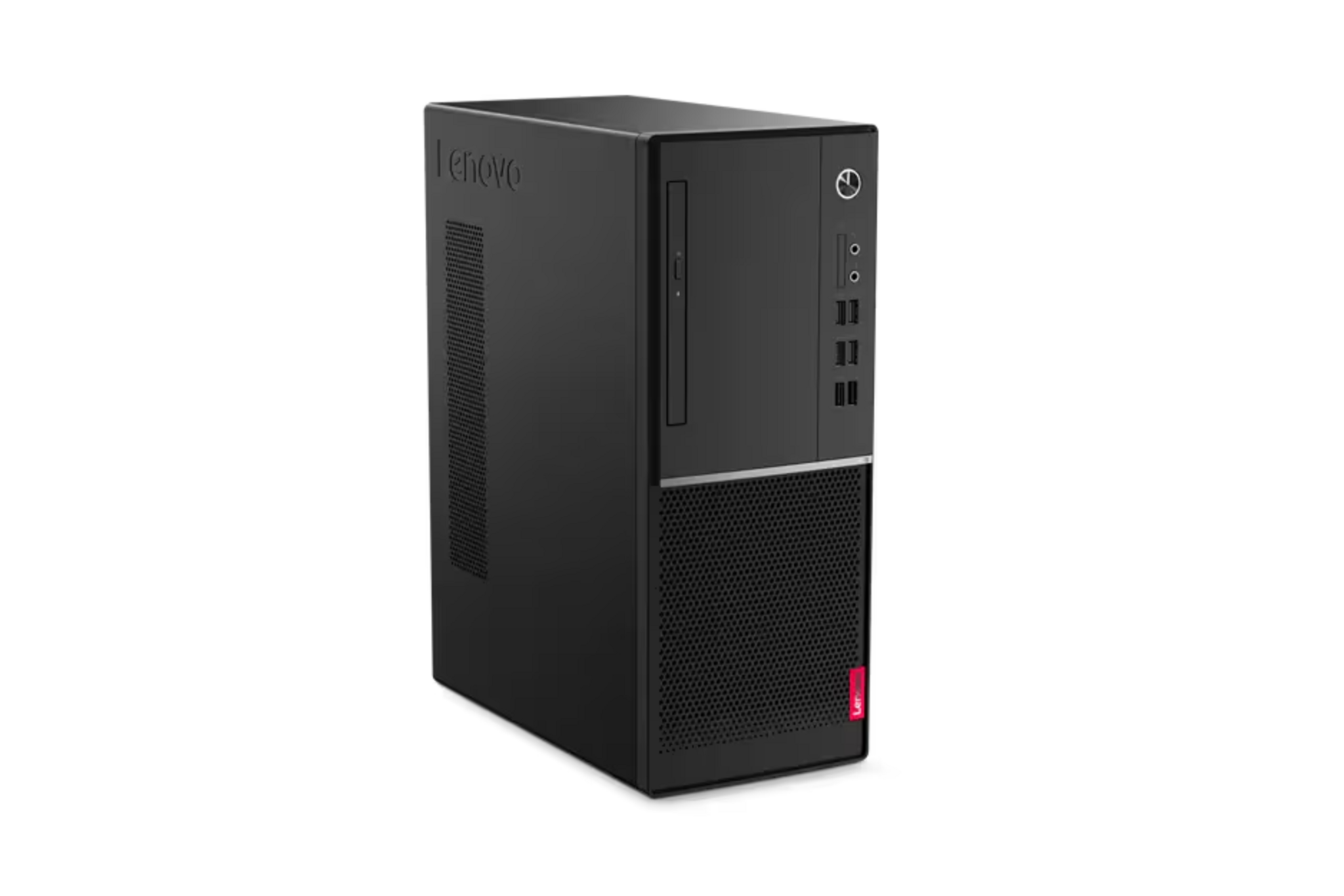
- Tower: most expansion room (extra storage, upgrades), most flexible
7) Operating system: Windows 11 or Linux
Choose this based on software, management and preference.
- Windows 11: widely compatible and usually the most plug-and-play
- Linux: maximum control, efficiency, ideal for open-source and development
8) Future and maintenance: upgrade path and lifespan
Think ahead: what do you possibly want to be able to adjust later?
- Add extra RAM or extra storage
- More screens or extra peripherals
- Long-term stable use without performance loss
Why buy at Qwerty-Tech?
When you buy a desktop PC, you want it to be right the first time: a system that runs smoothly, is immediately usable and that you can rely on. At Qwerty-Tech we therefore don't deliver a standard “box”, but a desktop that is prepared for daily use. These are four reasons why customers choose us:
✅ Ready to use immediately
You receive a desktop that has already been prepared for use. Plug in, start up and carry straight on with work or study, without unnecessary steps or extra hassle.
✅ Business quality, carefully checked
We work with professional desktops from business environments. Every desktop is checked, cleaned and tested for performance and stability, so you get a reliable workplace that can last a long time.
✅ Honest specifications and clear choices
You know exactly what you are buying. No confusing marketing, but clear configurations and transparent product information, so you choose the right desktop for your use.
✅ Personal help, also after your purchase
Are you doubting between configurations or do you want to know what suits your work best? Our customer service helps you with targeted advice. Also after purchase you can come to us for support.
Want to make the right choice quickly? Contact our customer service for personal and practical advice.


