




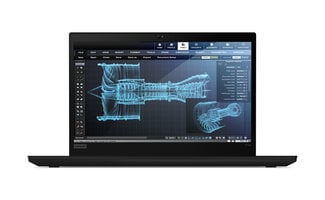
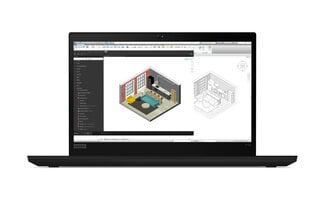

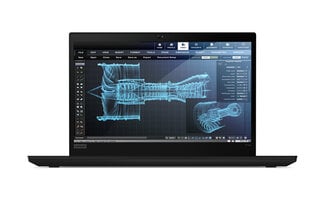

Lenovo ThinkPad P14s
The ThinkPad P14s: a workstation in a regular 14 inch coat
A workstation is a laptop built for heavier work than email and Office: drawing, 3D modelling, number-crunching on large datasets. Usually these are sturdy, heavy devices of 15 inches or more. The ThinkPad P14s line is Lenovo's answer to that: a full mobile workstation in the body of a regular 14 inch ThinkPad, so you actually take it with you instead of leaving it at the office.
All P14s models share three things. They measure 14 inches and weigh between 1.3 and 1.5 kilos. On Intel versions they have a professional graphics card from NVIDIA's Quadro, T or RTX A range; on AMD versions a processor with many cores. And Lenovo has them tested and certified for professional software such as AutoCAD, Revit and SolidWorks, something the regular T series is not. That's called ISV certification and means your design application has been checked on this hardware beforehand.
In this overview you'll read what sets the four generations apart, so you quickly know which P14s suits your work. All our workstation laptops are in the overview, and if you want to buy a refurbished laptop other than a P14s, you'll find those too.
The four generations at a glance
P14s Gen 1 (2020)
The entry point of the line. 10th gen Intel Core with NVIDIA Quadro P520 (2 GB), or an AMD Ryzen 7 PRO 4750U with 8 cores and no dedicated graphics. Up to 48 GB of memory, 16:9 screen with optional UHD and 100% Adobe RGB, every port on board including Ethernet and microSD. A reliable choice for 2D drawing and light 3D work. See the Gen 1.
P14s Gen 2 (2021)
The broad middle option. 11th gen Intel Core with NVIDIA T500 (4 GB), or AMD Ryzen 5 PRO or 7 PRO 5000 series. Thunderbolt 4 on Intel, up to 48 GB memory on both, 16:9 screen with optional UHD and DCI-P3. For most people the most practical P14s. See the Gen 2.
P14s Gen 3 (2022)
The step to 16:10. A new taller screen, smaller chassis, 12th gen Intel Core P processors with up to 14 cores and NVIDIA T550 (4 GB). AMD version with Ryzen 6000 series but fully soldered memory (16 or 32 GB). Note: no more microSD reader or side dock. See the Gen 3.
P14s Gen 4 (2023)
The newest. 13th gen Intel Core P processors, NVIDIA RTX A500 (4 GB) and even faster LPDDR5x or DDR5 memory. New: an optional 2.8K OLED panel. AMD version with Ryzen 7040 PRO (Phoenix) and Radeon 780M, memory soldered up to 32 GB. See the Gen 4.
What makes a P14s a workstation?
A workstation looks like a regular business laptop, but has components specifically built for professional work with graphics, data or raw computing power. In the P14s that comes down to three things you won't find in the regular ThinkPad T series.
A professional graphics card. On the Intel versions of all four generations sits a graphics card from NVIDIA's professional range: Quadro P520 (Gen 1), T500 (Gen 2), T550 (Gen 3) or RTX A500 (Gen 4). These cards aren't made for games, but for design software. They come with drivers that are tested together with the makers of that software, so your application behaves predictably, even with large drawings or models. If you're looking for a laptop with a graphics card that goes beyond consumer level, a P14s is the entry point.
ISV certification. ISV stands for independent software vendor: the companies behind AutoCAD, Revit, SolidWorks, CATIA and other professional applications. Lenovo has the P14s tested and certified by them. That means your combination of laptop, graphics card and application has been checked in advance. Lenovo's ISV overview for workstations lists the exact versions covered.
Built for heavier work. A P14s has sturdier cooling than a regular T14, so the processor doesn't throttle as soon as things get heavy. The AMD versions use processors with many cores (Ryzen 7 PRO with 8 cores), often with more memory than a comparable T series. You don't see the difference from the outside, but you feel it during a render task or when crunching a large dataset.
What every P14s shares
However different the four generations are, a number of things apply to every P14s. They are often the reasons someone deliberately picks this line over another laptop, and they help you understand what to expect from a P14s, whichever generation you choose.
Every P14s has a 14 inch screen, in 16:9 on the Gen 1 and Gen 2 and in the taller 16:10 on the Gen 3 and Gen 4. All versions have at least a Full HD panel, and depending on the model you can choose options like a touchscreen, the ThinkPad Privacy Guard filter that makes the image unreadable to anyone looking from the side, a UHD panel with a wide colour gamut, and on the Gen 4 even a 2.8K OLED screen with true black and highly saturated colours.
In weight they all stay between 1.34 and 1.5 kg, which makes them considerably lighter than most other workstations on the market. You actually carry a P14s to a client or a building site, instead of leaving it at the office. The build quality matches that: every generation is tested to an American military standard (MIL-STD-810G on the Gen 1 and MIL-STD-810H on the later generations), covering shock, vibration and temperature. That also makes them ideally suited to a second life as a refurbished laptop.
Every P14s works with a USB-C dock, and the Intel versions from the Gen 2 onwards also support Thunderbolt 4 for the fastest connection. That means one cable connects displays, network, fast storage and power at the same time. At the office or at home you plug it in, and when you leave, you simply take your work with you without setting anything up again. See our Lenovo docking stations for an overview of what fits your generation.
Lenovo offered every generation with an optional 4G module, so you can go online anywhere without fiddling with a phone hotspot or public Wi-Fi you'd rather not trust. Only a unit with both the module and the antennas works as a true laptop with SIM card, so this is always clearly listed in the product specifications.
On the software side all four generations are officially supported by Windows 11, and Lenovo also shipped them with Ubuntu or Fedora preloaded and certified for Red Hat Enterprise Linux. The hardware was tested on Linux, which saves you hunting for drivers for Wi-Fi, sound and power management. See our Linux laptops and our Windows 11 laptops for the full range.
Finally, with every P14s you get the familiar ThinkPad feel: the sturdy keyboard with the red TrackPoint, the robust chassis and the classic business ports. If you're coming from a previous ThinkPad, a P14s feels immediately familiar, and that's exactly why many companies have kept their entire fleet on the ThinkPad line for years.
Which P14s suits your work?
Not every generation is the best match for every use. If you're a student or just starting out, for example, and want to get going with AutoCAD or other CAD software without a big budget, the Gen 1 Intel with NVIDIA Quadro P520 is already plenty to begin with. You get a real workstation with ISV certification at the sharpest price in the lineup, and for 2D drawing and simple 3D models that will serve you well for a long time.
If you work daily with Revit, SolidWorks or other heavier design software, as a freelance draughtsman, architect or engineer, a Gen 2 or Gen 3 Intel is a better fit. The NVIDIA T500 or T550, combined with plenty of memory and newer processors, gives you more headroom when models get larger or when you work with several drawings at once. The Gen 4 Intel with NVIDIA RTX A500 is the fastest of the bunch, and especially interesting if you want a 2.8K OLED screen or if you really need the newest technology.
For developers, data analysts and IT professionals who run many virtual machines, containers or Linux distributions, the AMD versions are often the best match. A Ryzen 7 PRO 4750U (Gen 1), 5850U (Gen 2) or 7840U (Gen 4) gives you 8 cores and 16 threads in a light form factor, without paying for a dedicated graphics card you don't use. Especially the Gen 4 AMD, with up to 32 GB of memory, packs a lot of computing power into a machine of 1.34 kg.
If you work with colour for photography or video production, a unit with a UHD screen (found on the Gen 2 and Gen 3) or, preferably, the OLED panel of the Gen 4 is the smartest choice. Both are factory calibrated, so what you see on your screen matches what you later print or publish online. Also see our laptops for photo editing and laptops for video editing.
For businesses setting up a fixed desk with a dock while also taking the laptop to clients, every generation works well. If you want the lightest option, pick the Gen 3 or Gen 4, which start at around 1.34 kg. Still not sure which P14s suits you best? Use our buying guide or ask us for advice. All Lenovo ThinkPad laptops are in the full overview.
Who is the P14s not for?
To be fair, not every job fits on a P14s. If you do a lot of heavy 3D rendering or work with large BIM models, over time you will run into the limits of the professional NVIDIA card in the P14s. It is, after all, the entry level within its range. For really compute-heavy work, a 15 or 16 inch workstation like the ThinkPad P15 or P16 is a better choice, even though those are heavier and larger.
For gaming the P14s isn't the smartest buy either. The professional NVIDIA cards are tested and certified for design software, not for games, and a consumer laptop with a GeForce RTX will simply push more frames per second for the same money. On top of that, the professional drivers miss the game-specific optimisations that come standard with the GeForce range.
Beyond that: anyone mostly working in the browser, Office and Teams pays on a P14s for a graphics card and certifications they never use in practice. In that case a ThinkPad T series is often the smarter choice, with the same chassis and the same ThinkPad feel, but at a lower price. The P14s and the T14 share the chassis, so you don't miss out on build quality, ports or keyboard.
Why buy a refurbished P14s from Qwerty-Tech
Qwerty-Tech specialises in refurbished Lenovo ThinkPads. With every P14s we replace the CMOS battery, apply fresh thermal paste between processor and cooler, and make sure the battery always has more than 80% of its original capacity. Especially with a workstation you push hard, that makes a real difference.
Every laptop is tested and graded by at least three people, and then freshly installed. You get a 2-year warranty, we ship from our own stock, and it's a sustainable choice: a laptop that is reused does not have to be made again.
Need several laptops for your business, school or organisation? Request a custom quote.
Frequently asked questions about the ThinkPad P14s
What is the difference between a P14s and a T14?
They share the chassis, but the Intel P14s has a professional NVIDIA graphics card (Quadro, T or RTX A series), is certified for professional software, and on AMD often has more memory. The T14 is a general business laptop.
Which P14s is best for AutoCAD?
Every Intel version with discrete NVIDIA graphics is suitable for AutoCAD. For newer versions and heavier 3D work, the Gen 3 or Gen 4 with T550 or RTX A500 pays off. Check Lenovo's ISV overview for your specific version.
Is a P14s good as a general business laptop?
Yes, though you pay for a graphics card you won't use. For pure office work the T14 is a better match; for anyone who also does occasional design or CAD work, the P14s is a safe choice.
How much memory does a P14s have?
From Gen 1 up to and including Gen 2 (Intel) up to 48 GB, upgradable via a slot. On Gen 3 (AMD) and Gen 4 (AMD) memory is soldered at 16 or 32 GB. The Intel variants of Gen 3 and 4 are, depending on the model, still upgradable.
Do I get a warranty on a refurbished P14s?
Yes. At Qwerty-Tech you get a 2-year warranty on every refurbished P14s, regardless of the generation.
Which P14s is best for SolidWorks or Revit?
For these heavier applications a Gen 2 or newer works best, with the NVIDIA T500, T550 or RTX A500. The Gen 4 has the fastest combination, the Gen 2 is usually the best value. Always check Lenovo's ISV list for your software version.
Which P14s has the best screen?
The Gen 4 with 2.8K OLED has the nicest picture, with true black and 100% DCI-P3. The Gen 2 and 3 with UHD panel are a strong second, with factory colour calibration. For reading and drawing, the taller 16:10 screen of the Gen 3 and 4 wins.
Which P14s has a SIM card slot?
Every generation was shipped with or without 4G. Only a unit with a 4G module and antennas on board works as a laptop with SIM card. This is always listed in the product specifications.
How heavy is a P14s?
From 1.34 kg (Gen 4 AMD in black) up to about 1.5 kg (Gen 3 Intel in storm grey or Gen 4 with OLED screen). Older generations are around 1.46 to 1.49 kg.
Does every P14s work with a docking station?
Yes. Every generation works with a USB-C dock. The Intel versions from Gen 2 and up support Thunderbolt 4 for the highest speed. See our Lenovo docking stations.


